
VST3 instrument In development

A synth with
something to say.
Shape saw waves and breath into talking basses, elastic leads, choirs, and rhythmic chatter. A vocal synthesizer with a mouth of its own, and motion in every phrase.

- Atlas voices
- 32
- Gesture patterns
- 100
- Factory sounds in development
- 555
01 / Factory presets
Hear Maw.
A few presets from the factory library. Leads, bass, pads, and moving textures, using Maw’s own effects.
Liquid Slide
Connected notes, shifting vowels, and a slow pitch-shifting echo.
Photon Slurp
Rising pitch scoops and short echoes in a syncopated lead.
Chrome Squelch
Syncopated bass stabs with metallic vowels.
Glass Larynx
Minor chords with a hollow vocal tone and shifting echoes.
Liquid Planetarium
Granular chords with slowly opening vowels.
Growl Sub
Rough vocal bass in a broken rhythm.
Tongue Trill
Held notes with fast, opposing mouth movements.
Ee Constellation
Staggered high notes over sustained vowels.
Rift Mauler
Pulsing formant bass over a solid sub, with short syncopated hits.
Recorded from the development build. No external instruments or effects; playback levels have been adjusted for these demos.
02 / Shape it
Start with a mouth.
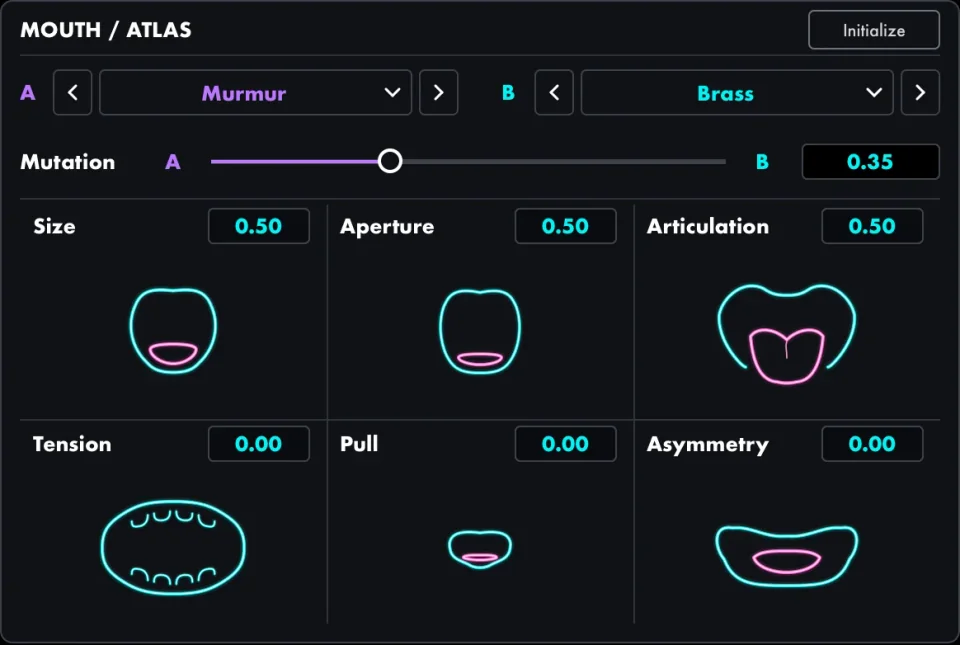
Blend two of 32 Atlas voices, then change the mouth’s size, aperture, and articulation. Four formants let you tune the resonances that give a vowel its character, each with its own Pitch, Gain, and Q to sharpen or soften it.
Saw waves, breath, and bite feed that vocal tract. Push toward a familiar vowel, stretch it into a metallic bass, or soften it into a choir.
03 / Perform it
Turn vowels into phrases.
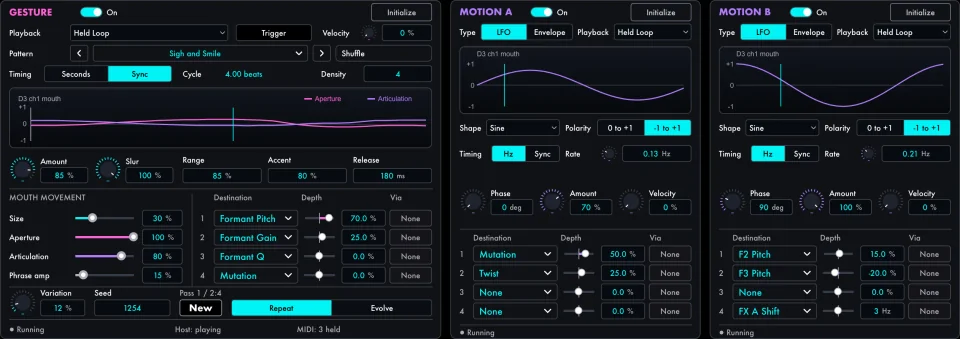
Explore 100 Gesture patterns for connected syllables, rhythmic chatter, and evolving vowels. Adjust Slur, Accent, and Variation, then use Motion A and B to move other parts of the sound.
All 555 factory sounds include Wheel, Pressure, and Slide expression routes. Shape a phrase with your controller, then save a variation in the User library.
Gesture and Motion respond to velocity as much or as little as you like, so soft notes can keep some of their movement. On the Oscillator page, Hold and Curve shape the amplitude envelope, and Lift lets release velocity shorten the tail.
Let a lead slide.
Legato and glide connect single-note lines.
Give chords one mouth.
Notes pass through a shared vocal tract.
Let each note speak.
Eight-note polyphony, with an independent mouth for every note.
04 / Let it wander
Give every note the same weather.
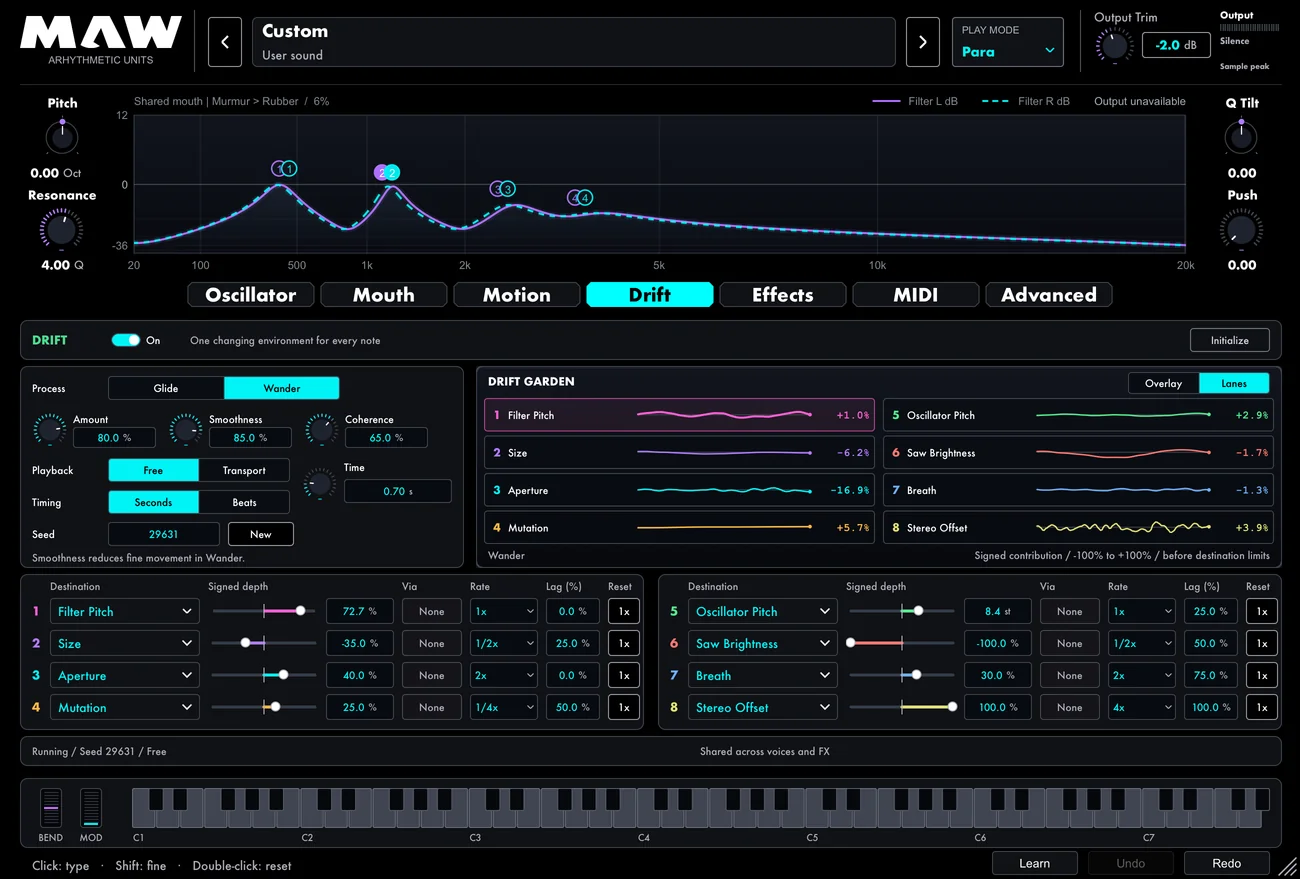
Drift adds one changing environment that every note moves through together. Send it to as many as eight destinations, each with its own depth, rate, and lag, and choose smooth Glide or continuous Wander.
Set its pace in seconds or beats, let it run freely or follow the transport, and keep a path you like with its Seed. The Drift Garden draws each route as it moves, in separate lanes or as one overlay.
05 / Find a sound
Follow a different voice.
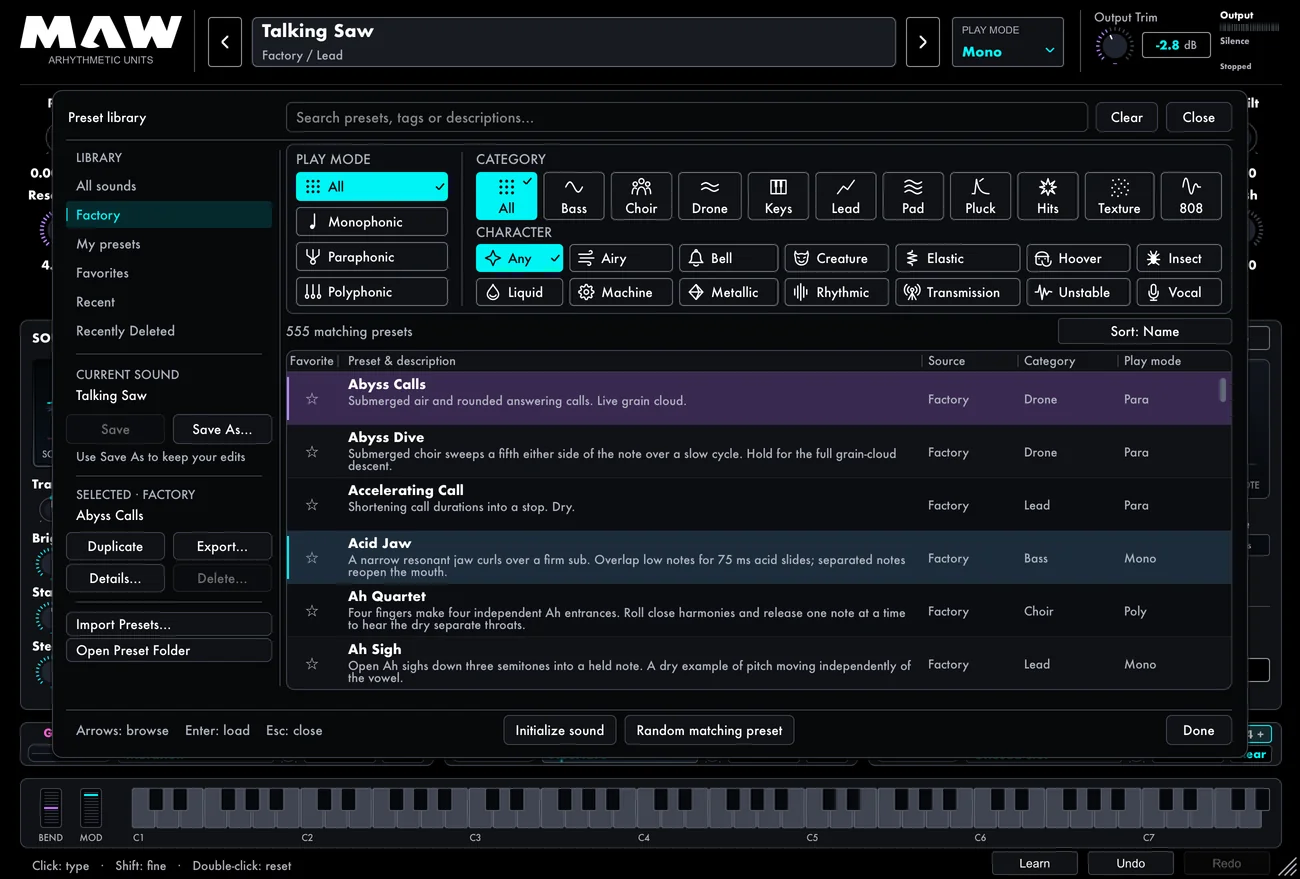
The factory library now includes 33 tuned 808 kicks and basses, 72 Hoover sounds, and 50 Refractor textures. Choose the 808 category, select the Hoover character, or search for Refractor to explore each collection.
Browse categories including Choir, Pluck, and Hits, or characters such as Bell and Rhythmic, and sort by recently saved or added sounds. Keep Category, Character, and Play Mode filters in view while you browse. Load a sound without closing the library, then play it from MIDI or the on-screen keyboard. Favorites and Recent keep useful sounds nearby; Save As keeps a personal variation.
New instances start with Talking Saw, or with your own sound once you choose Set Default. Use Init for a fresh sound, or Random to explore presets that match your current filters.
Inside the instrument
Carry the voice further.
Two serial effects banks lead into three-band OTT and saturation, with a clean sine sub underneath. Bypass OTT and saturation independently, and follow their levels and gain changes in the finishing meters.
Refractor turns incoming sound into grain clouds and pitched or reversed echoes. Shape their spread with Scatter and their feedback tone with Color, using free-running, tempo-synced, Note, or Gesture timing. Hold keeps a cloud playing from recent sound, and Refresh gradually swaps in new material.
For other tonal worlds, choose from 32 included scales or load Scala and AnaMark tuning files. Tunings travel with your presets and projects.
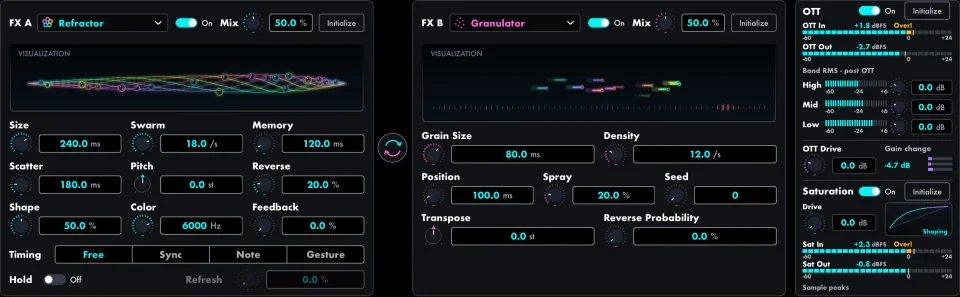


Captures from the reviewed 1.10.0 development documentation, using prepared example sounds. Individual views were captured at different stages of development. The interface may change before public release.
In development
More to say.
Maw is in active development, with a VST3 instrument, a standalone macOS app, and an optional macOS AUv3 component undergoing host and hardware qualification. An iPad version is in device testing, and an optional Ableton Live panel offers 24 quick controls. These sounds and interface captures offer a look inside the instrument. Public downloads and final release information are not available here yet.